 WholeHome
 Capture the room. Confirm the walls that cabinets depend on.
Scan or sketch to get the room in seconds. Then Measure Confirm dials each room in for cabinet design: workspaces, windows, doors and utilities, with hard measurements from a laser or a digital tape, ready for 2020 Design, ProKitchen or SketchUp.
Start measuring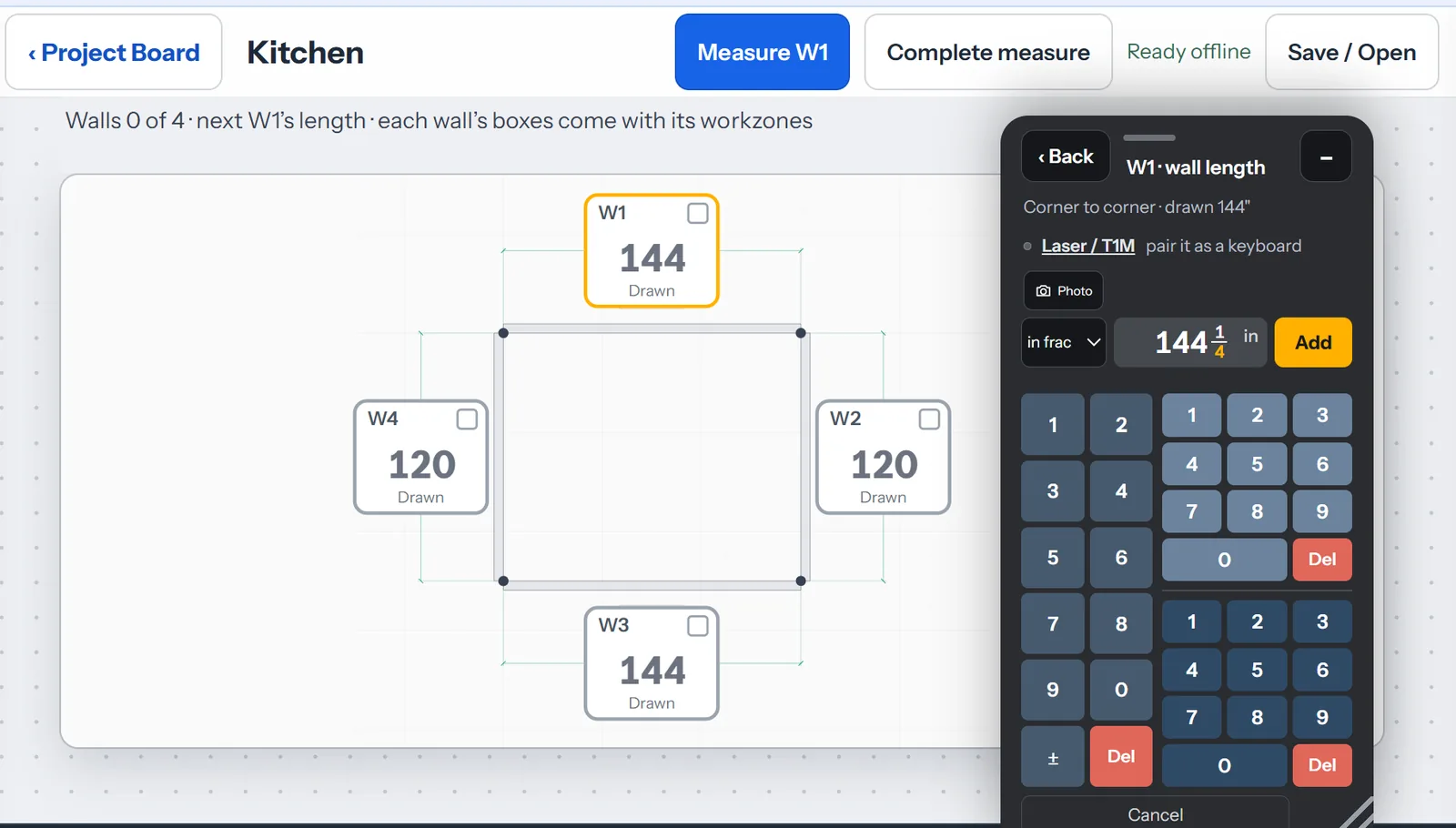
Four ways to start a room
A scan is a starting point. Every scanned wall stays "drawn" until a tape or laser reading confirms it.
LiDAR scan Coming soon
Move the phone or tablet slowly across the floor and the room's dimensions are captured. On an iPhone or iPad Pro with LiDAR, in the Capture app.
Sketch import
Bring in a paper sketch or draw the footprint with your finger. Up to 32 walls, so L-shapes, angled walls, pantries and bump-outs are all fine.
Draw a wall
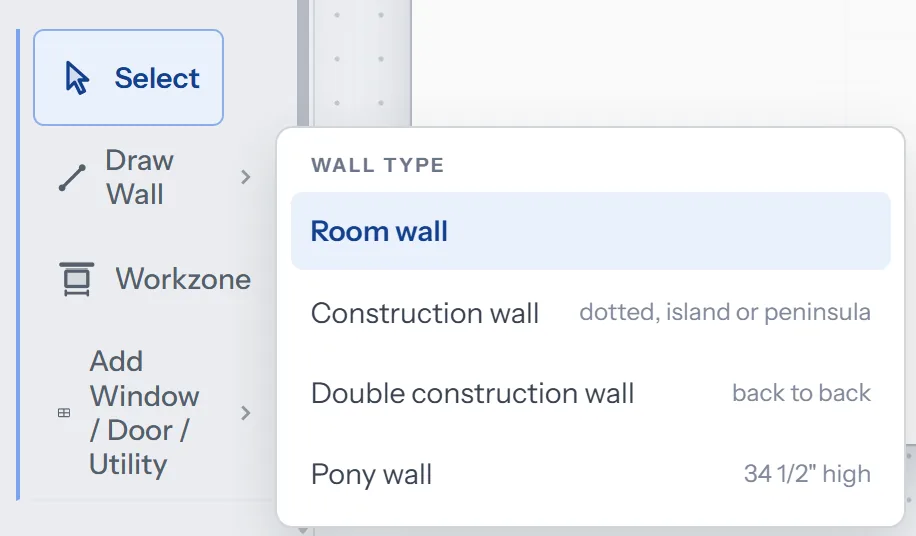
The wall types a kitchen needs: room wall, construction wall (dotted, for an island or peninsula), double construction wall for back-to-back cabinetry, and a pony wall at 34 1/2".
Import from 2020
Bring the room the designer already drew in 2020 Design or ProKitchen, measure the real room against it, and send the corrected walls back.
Walk the walls. Nothing written down.
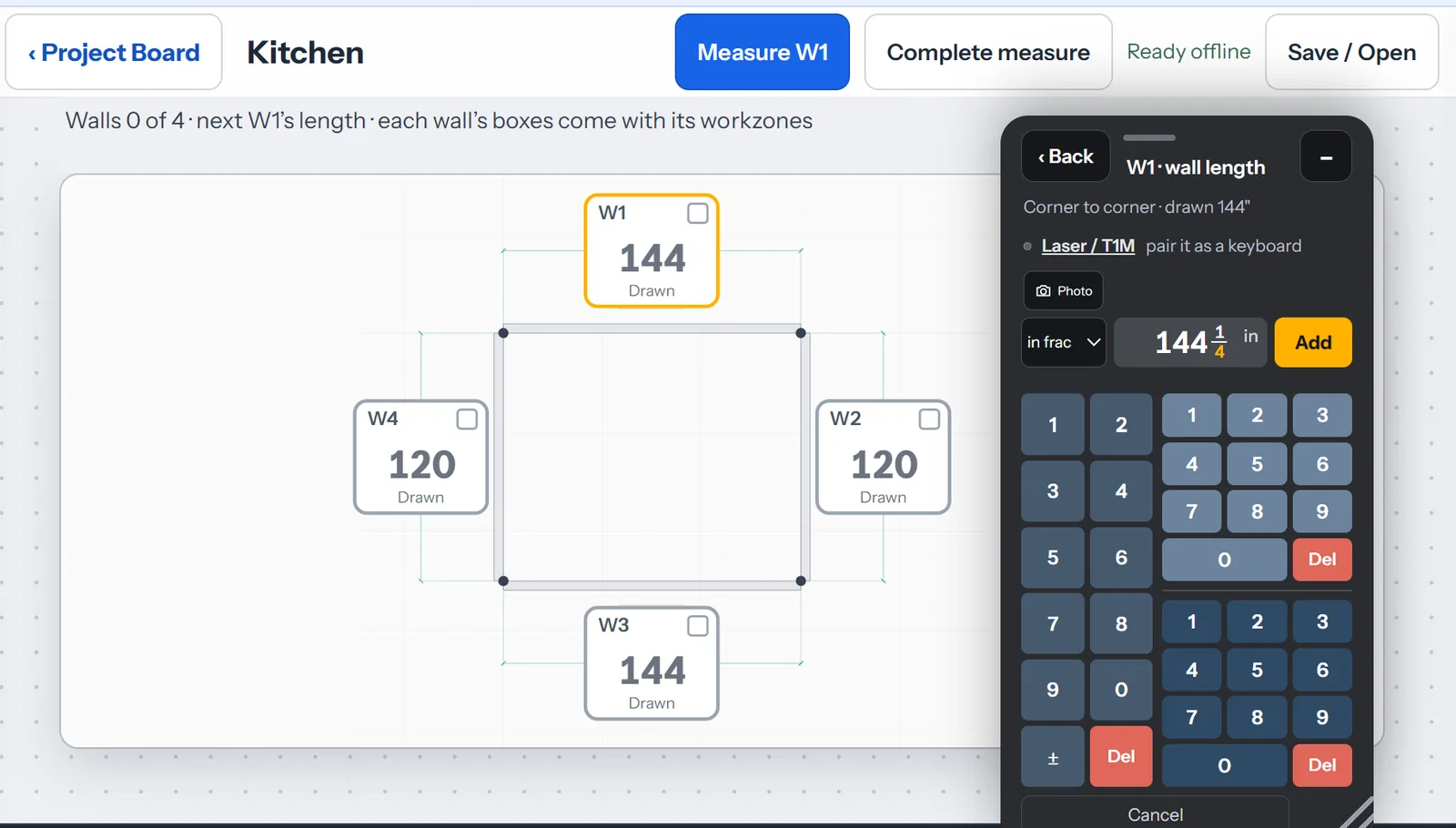
Each wall gets a box; each box comes with its workzones. Tap Measure W1, shoot the wall with a Bluetooth laser or pull the digital tape, and the reading lands in the box. A scanned length stays marked "drawn" until a hard reading replaces it: trust, but verify.
Measuring in fractions? The fraction calculator takes a reading from tape to table: type 144 1/4" the way you read it, with the fraction keys down to the sixteenth, and tap Add.
- Pairs: REEKON T1M · Leica DISTO D1 and D2
- A photo on every wall box
- Complete-measure checklist; the room reports whether it closes within 1/8"
- Ready offline, in a gutted kitchen with no signal
Where the cabinets go, and where the utilities are
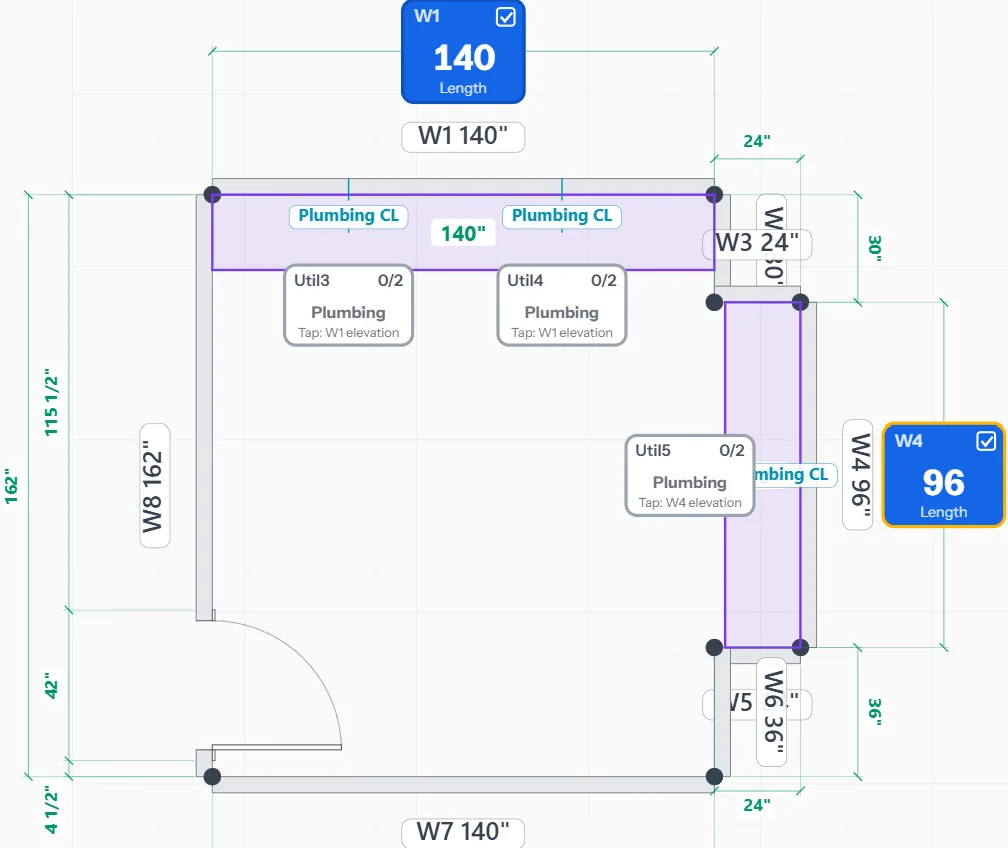
A workzone is the stretch of wall cabinetry or a vanity will use. Mark it and the plumbing centerline, the range and the fridge live on it, with their distances to each corner. A general room app drops a "sink" into a plan; this measures the sink wall.
- Sink, range and fridge walls as workzones; plumbing centerlines on them
- Windows, doors and utilities to scale, each one opening its elevation
- Pony walls, islands and peninsulas, back-to-back runs
- Finish the saved plan on a desktop, in 2D or 3D, then present it to the client
Trim to wall. Trim to trim. Floor to mounting.
From the placed doors and windows, Measure builds an elevation for each workspace wall and asks for the measurements a cabinet layout cannot do without.
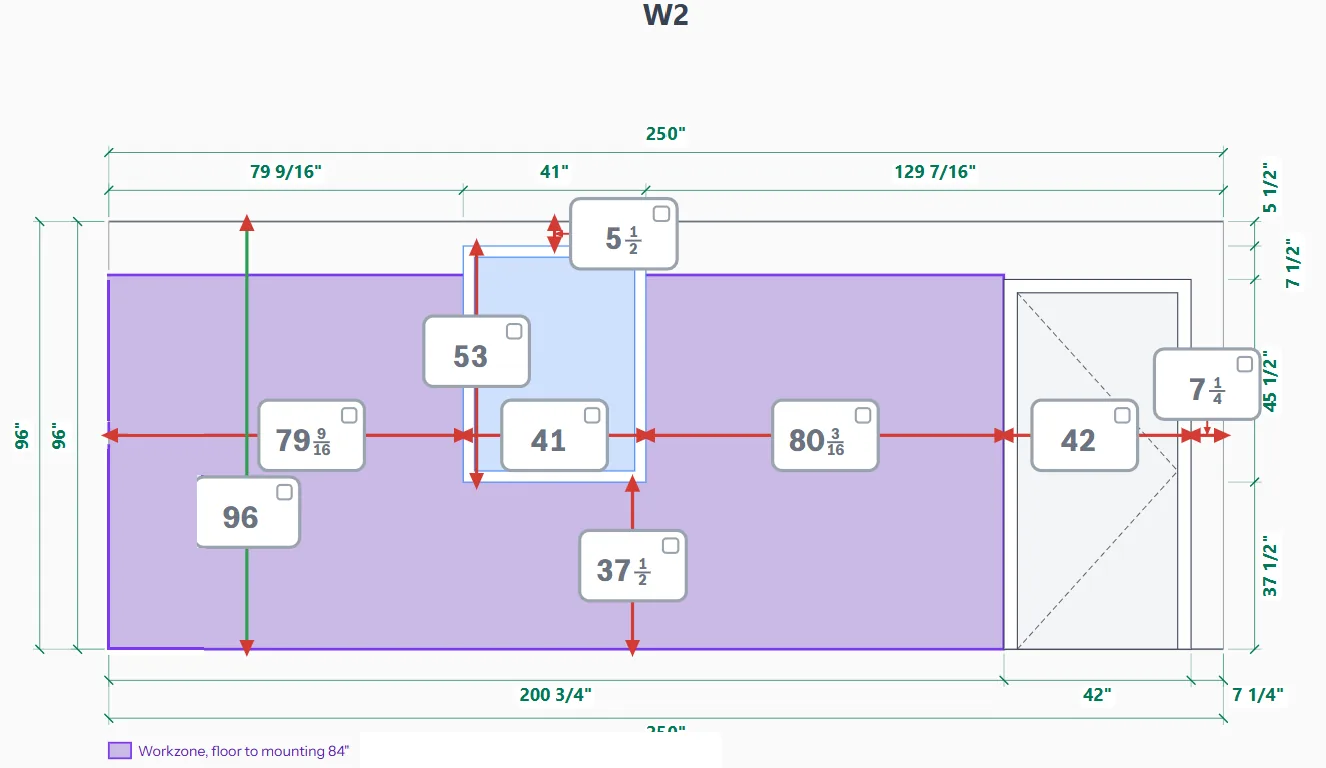
Corner to window trim: the first run of uppers.
Floor to window sill: whether a base run clears it.
Floor to mounting height: the top of the workzone, where the uppers hang.
Pairs with the tools already in the truck
Bluetooth lasers and digital tapes capture the reading without writing anything down.
REEKON T1M
16 ft · 1/32" · pairs as a keyboard and types each reading in. Ships in the Confidence Kit.
Types in on any device
Leica DISTO D1 · D2
130 ft · 1/16" · populates the measure directly on Windows; on iPhone and iPad the link comes with the Capture app.
Populates on Windows
Bluetooth keyboard tapes
Any tape or laser that pairs as a Bluetooth keyboard types straight into the keypad.
Types in
An online measure technician, on the job with you
Ask the questions you'd otherwise call the shop about. What's the linear footage of the workspace, for a custom-shop quote? What's the square footage of the room's walls? What's the next step? It answers from the room you're standing in and walks you through the workflow.
Every answer is logged against the wall it came from, so the designer can see why a wall was flagged.
You: Linear footage of the W1 and W4 workzones for the custom shop?
MeasureTech: W1 workzone 140" plus W4 workzone 96" = 236", or 19' 8" of run. Two plumbing centerlines on W1, one on W4. Want the W1 elevation before you quote the uppers?
You: Yes. And what's left to measure?
MeasureTech: Two utilities on W1 and one on W4 still need their elevation readings. The room closes within 1/8".
The designer doesn't have to re-measure.
Business is $29.97 a user a month, billed monthly, cancel any time.